Online Code Editors Compared: CodePen vs JSFiddle vs W3Schools Tryit vs Replit (2026)
What Are Online Code Editors? (Direct Answer Box)
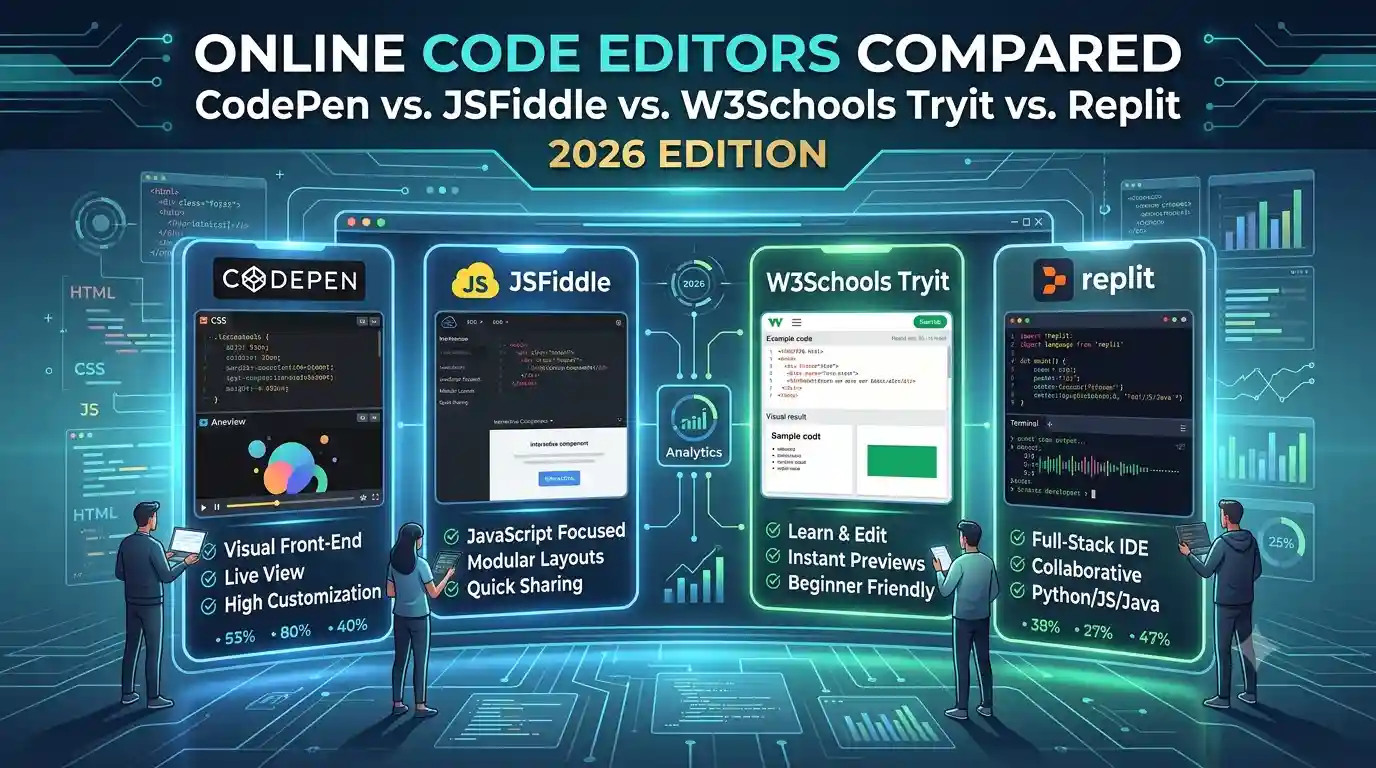
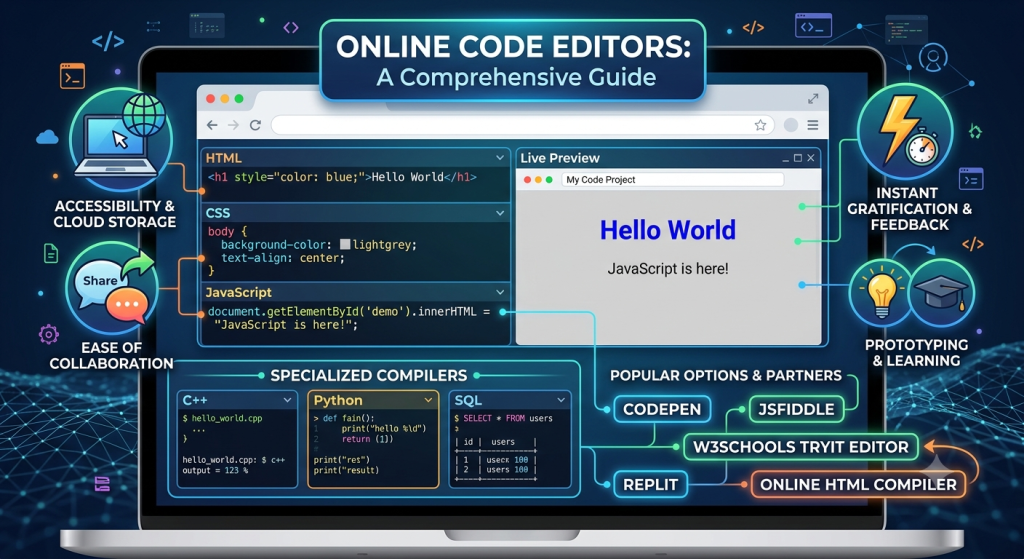
Online code editors are browser-based tools that let you write, run, and preview HTML, CSS, and JavaScript instantly, without installing any software. They’re used by beginners learning to code, developers testing quick snippets, and anyone prototyping a front-end idea. Popular options include CodePen, JSFiddle, W3Schools Tryit Editor, Replit, and our own free Online HTML Compiler—each with different strengths depending on what you need.
Why Compare Online Code Editors?
If you’re searching for the right online code editors to use, you’ve probably noticed that not all of them are built for the same purpose. Some are designed for sharing polished front-end demos publicly (like CodePen), some are built for quick, disposable testing (like JSFiddle), some are educational (like W3Schools Tryit), and some support full multi-language projects (like Replit).
Picking the wrong one for your use case usually means fighting the tool instead of writing code.
This comparison breaks down the real differences so you can pick the right online HTML editor for your specific need — learning, testing, prototyping, or sharing.
Comparison Table: Key Features at a Glance
| Feature | CodePen | JSFiddle | W3Schools Tryit | Replit | Our Online HTML Compiler |
|---|---|---|---|---|---|
| Sign-up required | Optional (required to save) | Optional | No | Yes | No |
| Live preview | Yes | Yes | Yes | Yes | Yes |
| HTML + CSS + JS tabs | Yes | Yes | Separate tools | Yes | Yes |
| Multi-language support (Python, etc.) | Limited | Limited | Limited | Yes | No (front-end focused) |
| Public sharing/community feed | Yes | Yes | No | Yes | No |
| Beginner-friendly UI | Moderate | Moderate | Very simple | Moderate | Very simple |
| One-click download of code | Limited | Limited | No | Yes | Yes |
| Ideal for | Public demos, portfolios | Quick testing/debugging | Learning HTML/CSS/JS basics | Full projects, multiple languages | Fast, distraction-free HTML/CSS/JS practice |
CodePen Overview
JSFiddle was one of the earliest online code editors and is still widely used for quickly testing and sharing code snippets, especially for debugging help on forums like Stack Overflow.
Strengths: – Simple, no-frills interface for quick tests – Easy to share a “fiddle” link for collaboration or debugging help – Supports external libraries via CDN links
Limitations: – Interface feels dated compared to newer tools – No strong community/discovery feature like CodePen – Limited project organization for larger work
W3Schools Tryit Editor Overview
The W3Schools Tryit Editor is built directly into W3Schools’ tutorials, letting learners edit and run examples right next to the lesson they’re reading.
Strengths: – Extremely beginner-friendly, tightly integrated with tutorials – No sign-up needed to try examples – Good for quick, isolated experiments while learning
Limitations: – Not designed as a standalone project workspace – Limited features for saving/downloading full projects – Less useful once you’re past the beginner stage
Replit Overview
Replit is a full online IDE that goes far beyond front-end code, supporting dozens of programming languages, including Python, Java, and Node.js, in addition to HTML/CSS/JS.
Strengths: – Supports many programming languages, not just front-end – Real project/file structure, closer to a real development environment – Collaboration features for team coding.
Limitations: – Requires an account to do most things – More complex than needed if you only want to test simple HTML/CSS/JS – Can feel like overkill for quick front-end snippets
Our Online HTML Compiler Overview
Our Online HTML Compiler is built specifically for one job: fast, distraction-free HTML, CSS, and JavaScript testing with instant live preview.
Strengths: – No sign-up, no account, no limits—just open and start coding – Clean, simple tabbed interface for HTML, CSS, and JavaScript – Real-time preview with adjustable themes, font size, and auto-run – One-click download of your project as a complete HTML file—fully mobile responsive—code and preview on any device.
Best for: Beginners, students, and developers who want to test or learn HTML, CSS, and JavaScript quickly, without the friction of accounts or unrelated features getting in the way.
Which Online Code Editor Should You Use?
How to Choose the Right Online Code Editor
Ask yourself these three questions before picking one of these online code editors:
- Do I need to save/share this publicly, or is it just for me? If public sharing matters, CodePen or JSFiddle fit better. For private, quick practice, a no-login tool is faster.
- Am I only working with HTML/CSS/JS, or do I need other languages too? If you need Python, Java, or full back-end support, Replit is a better fit. For pure front-end work, a dedicated HTML/CSS/JS compiler is lighter and faster.
- Am I a beginner who just wants to learn without distractions? A simple, no-frills online HTML editor with live preview reduces friction and keeps you focused on the code itself.
Common Questions About Online Code Editors
Many people comparing online code editors are really asking one of these underlying questions:
What’s the best free online HTML editor for beginners? Usually one with no sign-up and a simple tabbed interface.
Is there a CodePen alternative without login requirements? Yes, several free HTML/CSS/JS compilers, including ours, require no account at all.
Can I use an online code editor on my phone? Most modern tools, including ours, are mobile responsive.
Do online code editors save my work automatically? This varies by tool; many require an account to save, while some let you download your code directly instead.
Summary
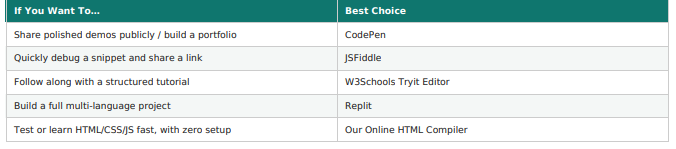
Online code editors solve the same basic problem—writing and previewing HTML, CSS, and JavaScript without installing software—but each tool is optimized for a different use case. CodePen suits public sharing and portfolios; JSFiddle suits quick debugging.
W3Schools Tryit suits guided learning, and Replit suits full, multi-language projects. If your priority is fast, distraction-free HTML/CSS/JS testing with no sign-up and no limits, our Online HTML Compiler is built exactly for that.
FAQs
What is the best free online HTML editor for beginners?
For beginners, the best online HTML editor is one with a simple interface, no sign-up equirement, and instant live preview—this removes setup friction so you can focus on learning HTML, CSS, and JavaScript directly.
Is CodePen free to use?
CodePen offers a free tier with some usage limits on private pens and asset storage; a paid “Pro” plan removes these limits for users who need more storage or advanced features.
What is a good CodePen alternative without requiring login?
Several online HTML, CSS, and JavaScript compilers work entirely without an account, including our free Online HTML Compiler, which offers live preview and one-click download with no sign-up required.
Can I download my code from an online code editor?
It depends on the tool. Some online code editors limit downloads to paid accounts, while others, including ours, offer free one-click download of your complete project as an HTML file.
Which online code editor supports languages beyond HTML, CSS, and JavaScript?
Replit is the best choice among popular online code editors for working in multiple programming languages, including Python, Java, and Node.js, alongside front-end code.
Do online code editors work on mobile devices?
Most modern online code editors, including CodePen, Replit, and our Online HTML Compiler, are mobile responsive and let you write and preview code directly on a phone or tablet browser.