How to Code in HTML: Beginner’s Guide With Examples
1. What Is HTML and Why It Matters
HTML stands for HyperText Markup Language. It is the standard language used to build every web page you visit. Learning how to code in HTML means learning how to structure content using tags. These tags tell the browser what each piece of content means, such as a heading or a link.
HTML is not a programming language like Python or JavaScript. It has no loops, variables, or logic. Instead, it acts as the skeleton of a web page. According to W3Techs, HTML is used by 97.7% of all websites, and HTML5 powers 95.9% of them as of August 2026.
This makes HTML one of the most valuable skills for anyone entering web development. Once you know how to write HTML code, you can move on to styling with CSS and adding logic with JavaScript. It is often the very first language beginners learn.
2. Tools You Need Before You Start Coding in HTML
You do not need expensive software to start coding in HTML. A simple text editor and a web browser are enough. Most beginners use free tools that are already available on their computer.
- A text editor such as Notepad, TextEdit, VS Code, or Sublime Text
- A modern web browser like Chrome, Firefox, Edge, or Safari
- A folder on your computer to save your HTML files
- Optional: a code editor with syntax highlighting for easier reading
Code editors like VS Code are popular because they highlight tags in color. This makes it easier to catch mistakes while you write HTML code. Even Notepad works fine for beginners who are just starting coding in HTML.
3. The Basic HTML Document Structure
Every HTML page follows the same basic structure. Learning this structure is the real starting point for how to code in HTML. It consists of four main parts that repeat in nearly every file.
| <!DOCTYPE html><html lang=”en”><head> <meta charset=”UTF-8″> <title>My First Web Page</title></head><body> <h1>Hello, World!</h1> <p>This is my first attempt at writing HTML code.</p></body></html> |
The <!DOCTYPE html> line tells the browser this is an HTML5 document. The <html> tag wraps all the content on the page. Inside it, the <head> section holds metadata like the page title, while the <body> section holds everything visible to users.
| Tag | Purpose |
|---|---|
| <!DOCTYPE html> | Declares the HTML5 document type |
| <html> | Wraps the entire page content |
| <head> | Holds metadata, title, and CSS links |
| <body> | Contains all visible page content |
4. Step-by-Step Guide: How to Code in HTML
Follow these steps to start coding in HTML today. Each step builds on the last one, so complete them in order.
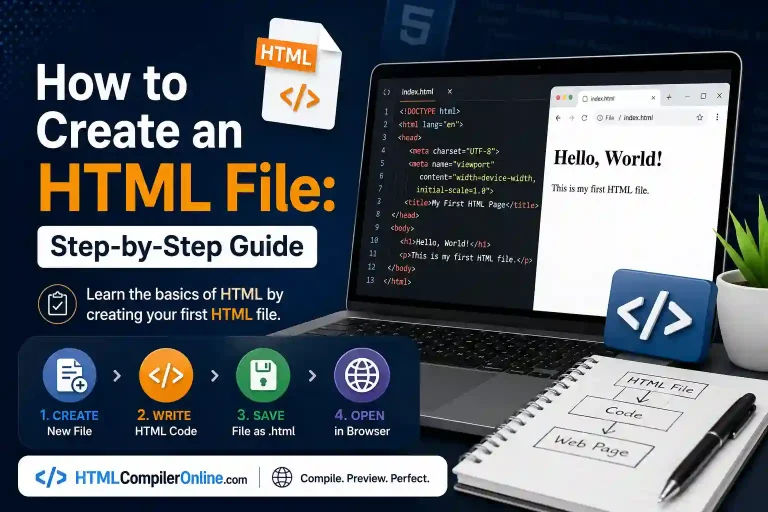
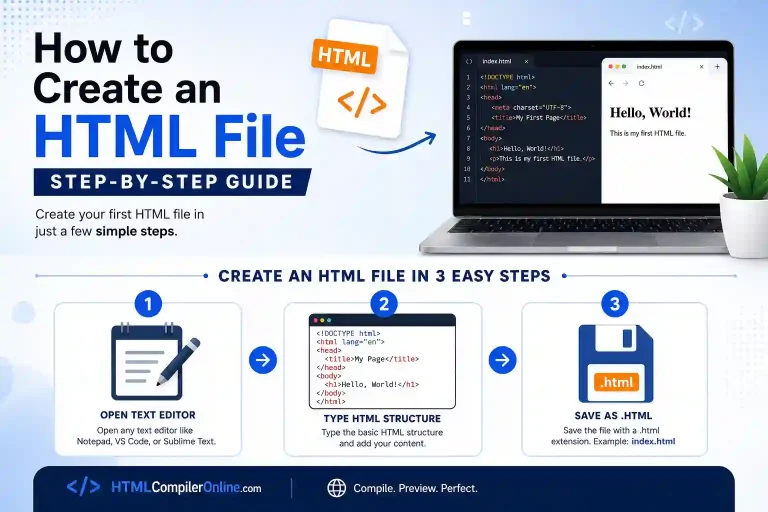
- Open your text editor and create a new file. You can use our online html comiler too.
- Type the basic structure shown in the section above.
- Add content inside the <body> tag, such as headings and paragraphs.
- Save the file with a .html extension, like index.html.
- Right-click the file and open it with your browser.
- Edit the code, save again, and refresh the browser to see changes.
This loop of writing, saving, and refreshing is how every developer learns to write HTML code. There is no compiling step, which makes HTML friendly for absolute beginners. You see results instantly, which keeps the learning process simple and motivating.
5. Essential HTML Tags Every Beginner Should Know
Once you understand the structure, you need core building blocks. These common HTML tags cover most of what beginners use daily.
| Tag | What It Does | Example |
|---|---|---|
| <h1>–<h6> | Creates headings; h1 is largest | <h1>Title</h1> |
| <p> | Defines a paragraph of text | <p>Some text.</p> |
| <a> | Creates a hyperlink | <a href=”page.html”>Link</a> |
| <img> | Embeds an image | <img src=”pic.jpg” alt=”A dog”> |
| <ul>/<li> | Creates a list | <ul><li>Item</li></ul> |
| <div> | Groups content into sections | <div>Content</div> |
Headings range from <h1>, the most important, down to <h6>, the least important. Paragraphs use the <p> tag to separate blocks of text. Links use the <a> tag along with an href attribute pointing to another page.
Images use the <img> tag with an alt attribute for accessibility and SEO. Always add descriptive alt text, such as “golden retriever playing in a park.” This helps screen readers and search engines understand your images.
6. Adding Structure With Semantic HTML Elements
Semantic elements describe the meaning of content, not just its appearance. They make your code in HTML easier to read for both humans and browsers. Search engines also use semantic tags to better understand page layout.
- <header> – introduces the top section of a page
- <nav> – holds navigation links
- <main> – wraps the primary content
- <section> – groups related content together
- <article> – marks standalone content like a blog post
- <footer> – holds closing information like copyright
Using semantic HTML instead of generic <div> tags improves accessibility scores. It also supports better search engine optimization and AI-based content parsing. Beginners should adopt these tags early to build good coding habits.
7. Working With Forms and Tables in HTML
Forms let users submit information on a web page, such as a contact form. Tables organize data into clear rows and columns. Both are common tasks once you know the basics of how to write HTML code.
| <form action=”/submit” method=”post”> <label for=”name”>Name:</label> <input type=”text” id=”name” name=”name”> <button type=”submit”>Send</button></form> |
A form starts with the <form> tag and includes input fields like <input> and <button>. Tables use <table>, <tr> for rows, and <td> for individual cells. Practicing forms and tables helps beginners handle real website features.
8. How to Test and Validate Your HTML Code
Testing means checking that your page displays correctly across browsers. Validating means checking that your code follows official HTML rules. Both steps catch errors before visitors ever see your page.
- Open your file in two or three different browsers to compare results.
- Use browser developer tools to inspect elements and spot layout issues.
- Run your code through the free W3C Markup Validation Service.
- Check that every tag you open is properly closed.
Validators highlight missing tags, unclosed elements, and incorrect attributes. Fixing these issues early prevents bigger problems as your page grows. This habit is one of the most valuable practices in coding in HTML.
9. Common Mistakes Beginners Make While Coding HTML
New coders often repeat the same errors when they first learn how to code in HTML. Knowing these mistakes in advance saves hours of confusing troubleshooting later.
- Forgetting to close tags, such as leaving out </p>
- Misspelling tag names or attributes
- Saving the file with the wrong extension, like .txt instead of .html
- Nesting tags in the wrong order
- Skipping the alt attribute on images
- Using outdated tags like <font> instead of CSS
Most of these mistakes are easy to fix once you spot them. Reading error messages from a validator speeds up this process significantly. Over time, these errors become rare as practice builds real coding habits.
10. How Long Does It Take to Learn HTML?
Most beginners can learn core HTML basics in about one to four weeks. This depends on daily practice time and prior technical experience. Many free tutorials structure learning into a simple weekly plan.
- Week 1: Learn document structure, tags, and attributes
- Week 2: Practice with editors and build a simple page
- Week 3: Add tables, lists, and forms
- Week 4: Explore HTML5 features and build a small project
HTML has a shallow learning curve compared to full programming languages. There is no complex logic to master, only tags and structure. This is why it remains a common starting point for new developers worldwide.
11. Practice Projects to Sharpen Your Skills
Practice is the fastest way to remember how to write HTML code. Building small real projects locks in concepts better than reading alone. Try these beginner-friendly project ideas.
- A simple personal bio page with a heading, photo, and paragraph
- A basic recipe page using an ordered list for steps
- A contact form styled with labels and input fields
- A small photo gallery using multiple <img> tags
- A simple product page with a table comparing features
Each project reinforces different tags and habits. Completing a few small builds gives you confidence before tackling larger websites. This hands-on approach works better than reading theory alone.
12. What to Learn After HTML
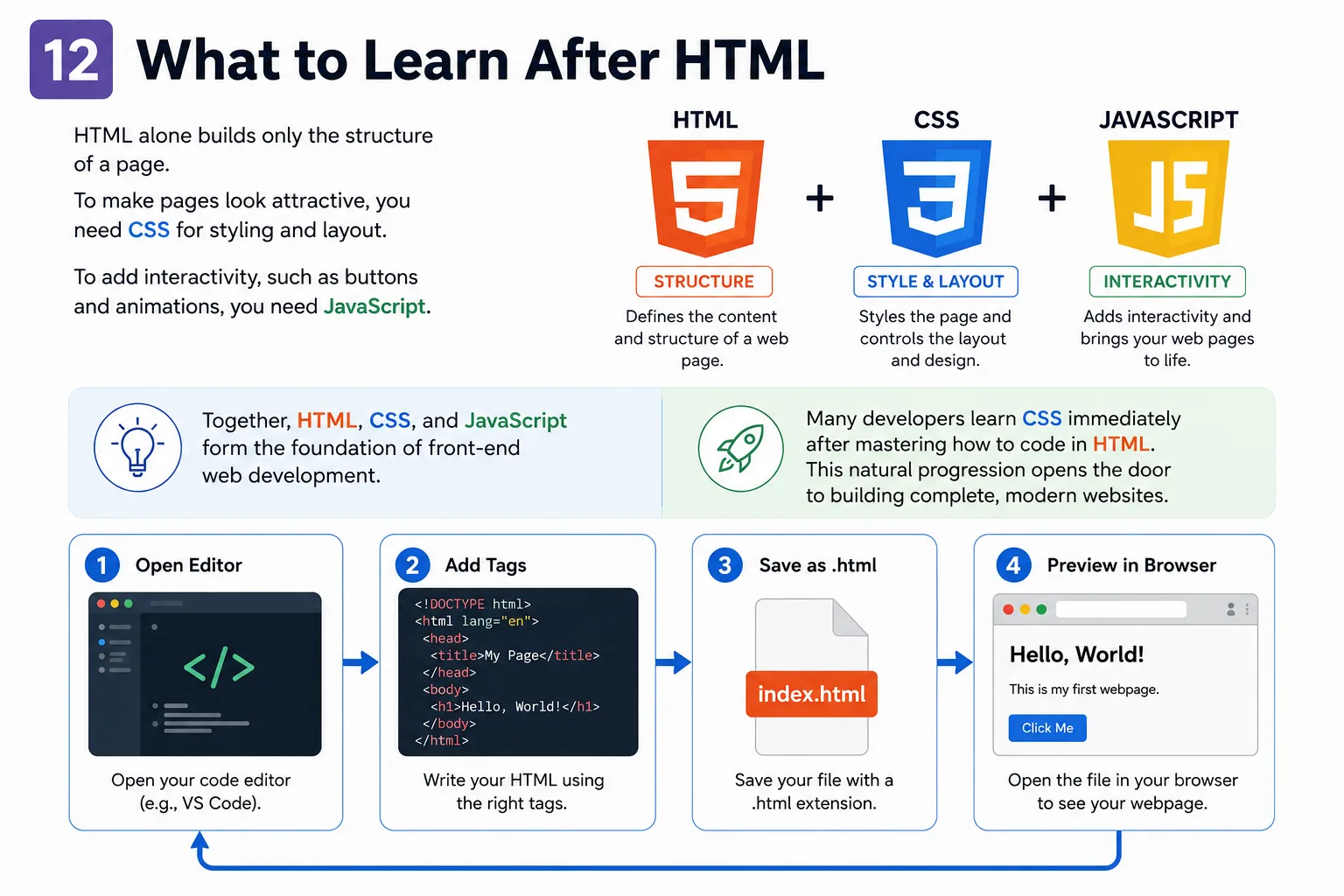
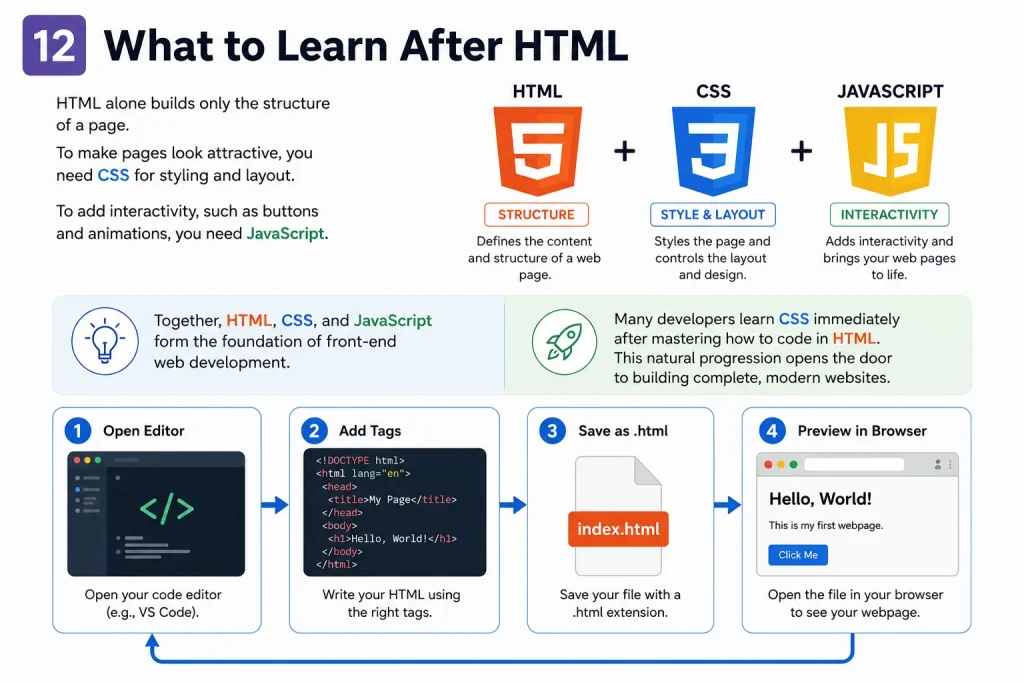
HTML alone builds only the structure of a page. To make pages look attractive, you need CSS for styling and layout. To add interactivity, such as buttons and animations, you need JavaScript.
Together, HTML, CSS, and JavaScript form the foundation of front-end web development. Many developers learn CSS immediately after mastering how to code in HTML. This natural progression opens the door to building complete, modern websites.
13. Summary
Coding in HTML starts with a text editor, a browser, and four core tags. You place content inside <body>, save the file as .html, and preview it instantly. Mastering tags like headings, paragraphs, links, images, and lists covers most beginner needs. With regular practice, most learners write clean HTML code within a few weeks.
14. FAQs
Q: How do I write HTML code for the first time?
A: Open a text editor, type the basic HTML structure, and add content inside the body tag. Save the file with a .html extension and open it in a browser. This is the simplest way to write your first HTML code.
Q: How to start coding in HTML with no experience?
A: You do not need any prior programming experience to start coding in HTML. Begin with the basic tags, practice small examples, and build simple pages. Free tutorials and browser developer tools support complete beginners.
Q: What software do I need to code in HTML?
A: You only need a plain text editor and a web browser. Popular free options include VS Code, Notepad, TextEdit, and Sublime Text. No paid software or installation is required to begin.
Q: Can I learn HTML in a week?
A: You can learn the core basics of HTML in about one week with daily practice. Mastering tags, structure, forms, and semantic elements usually takes two to four weeks. Consistency matters more than speed when learning HTML.
Q: Is HTML a programming language?
A: No, HTML is a markup language, not a programming language. It structures and describes content but does not include logic like loops or variables. Programming languages like JavaScript add that logic to a page.